Here’s a quick accessibility tip - mainly as I’m living off the high of feeling fairly smug with myself after being able to root it out.
I have a large document which I’ve been working through in Adobe InDesign and regularly running off a pdf document to pass through the Acrobat accessibility test to check if there’s any problems. A thing I’ve rarely come across before but which popped up today was character encoding. Acrobat was highlighting illustrator files that I had placed in InDesign that had simple diagrams with text in them. Something within these diagrams was being picked up as an error in the accessibility check.
On searching, this link here - https://community.adobe.com/t5/indesign-discussions/indesign-2020-character-encoding-error/td-p/10761804 - suggests it’s an issue with a variable font which is the stretchy all in one font file that lets you stick lots of weights and types in one file. However, the font I’m using doesn’t seem to be a variable weight - it’s separate font files. What I did notice was that the problem areas that were highlighted all had the ‘f’ character in them. I opened up the placed illustrator files and eventually whittled it down to having standard ligatures turned on in the OpenType panel. I turned that off and it stopped the character encoding error come up in the Acrobat checker.
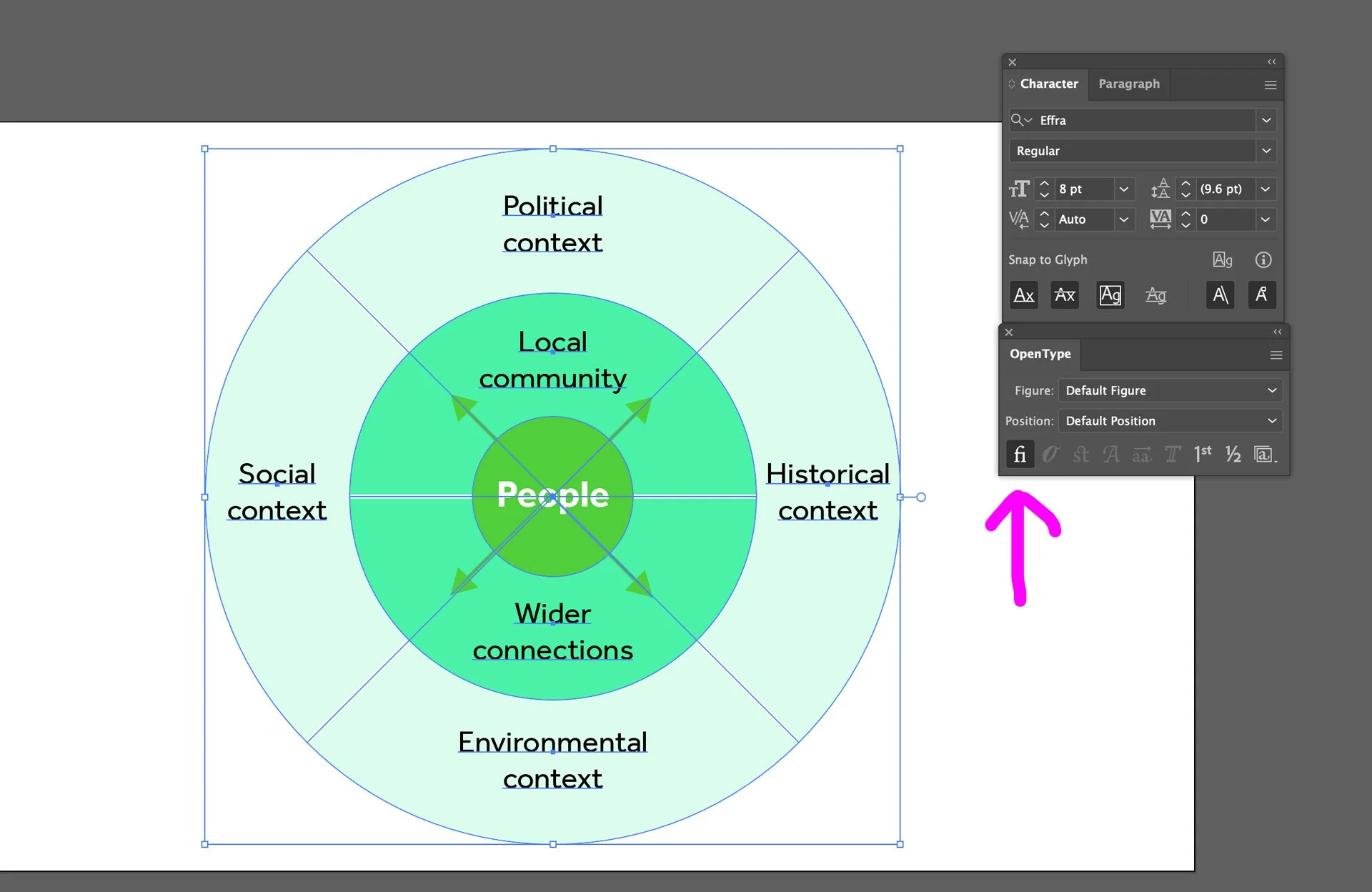
Screenshot of a diagram Adobe Illustrator with the Text and Opentype panel open. Untick the Standard Ligature option in Opentype to solve your character encoding woes.
There may also be other reasons for this error to come up and you might just end up changing the font to something similar looking that will pass the Accessibility Checker in Acrobat.
You can also fix this problem by editing the text directly in Acrobat Pro using the Edit PDF tool then retyping the word in a different font. I wouldn’t recommend this: it’s always best to edit at source (in this case Illustrator or InDesign) as you don’t want to add to the list of things you need to do after export, especially if the document is likely to have amends afterwards.